
Console
Model catalog, pricing, dashboard and usage logs
Model catalog
After logging in, open Model Catalog from the top-right navigation to see every model currently available on the platform.
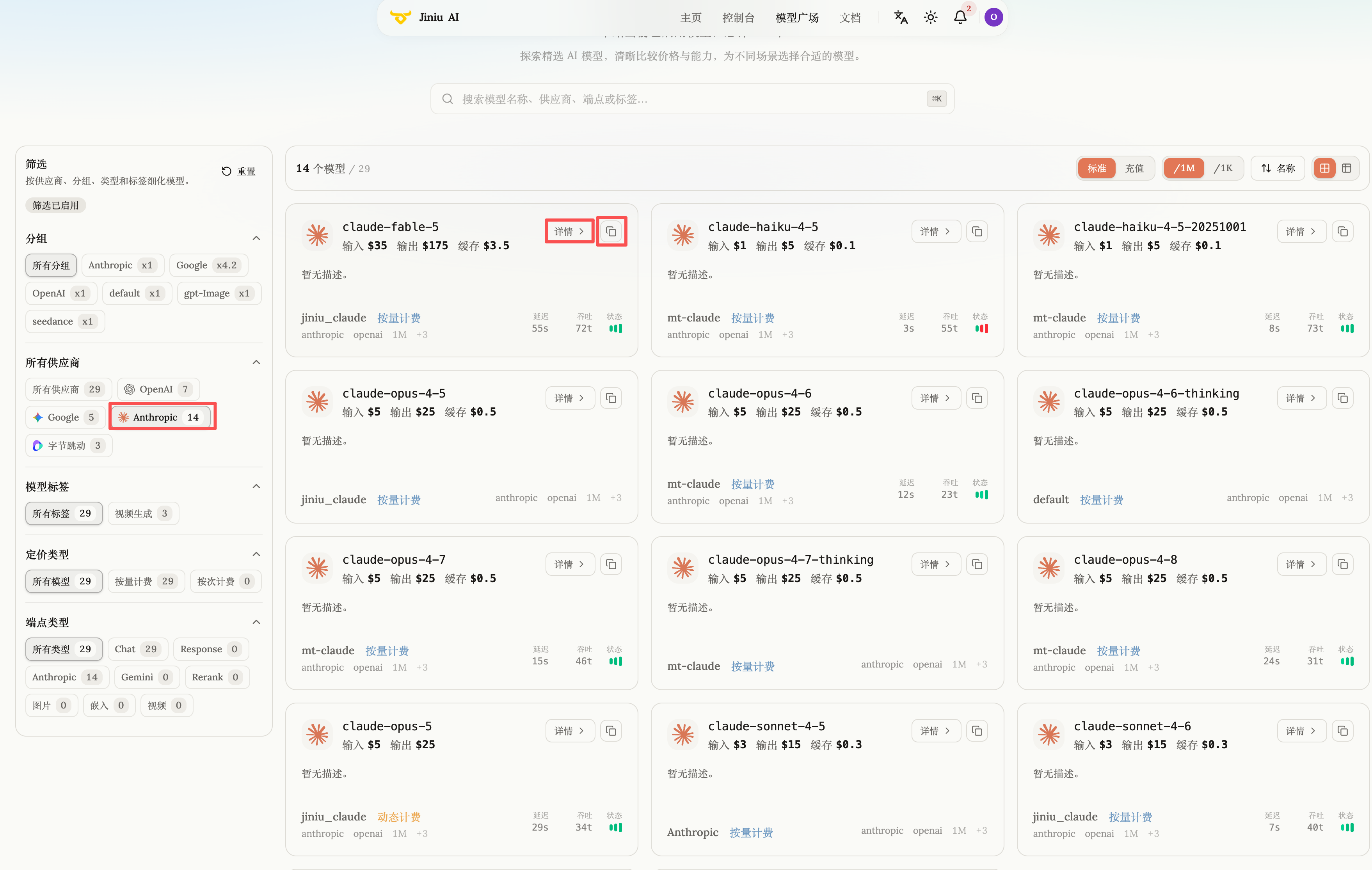
The filters on the left narrow the list by provider (OpenAI, Anthropic, Google and so on).
Reading a model card
Each card carries everything you need to call and budget for the model:
| Element | Meaning |
|---|---|
| Model name | The identifier in the top-left corner — must be copied verbatim into your code or client |
| Copy icon | One-click copy of the model name, avoiding typos |
| Details | Capabilities, context length and supported API formats |
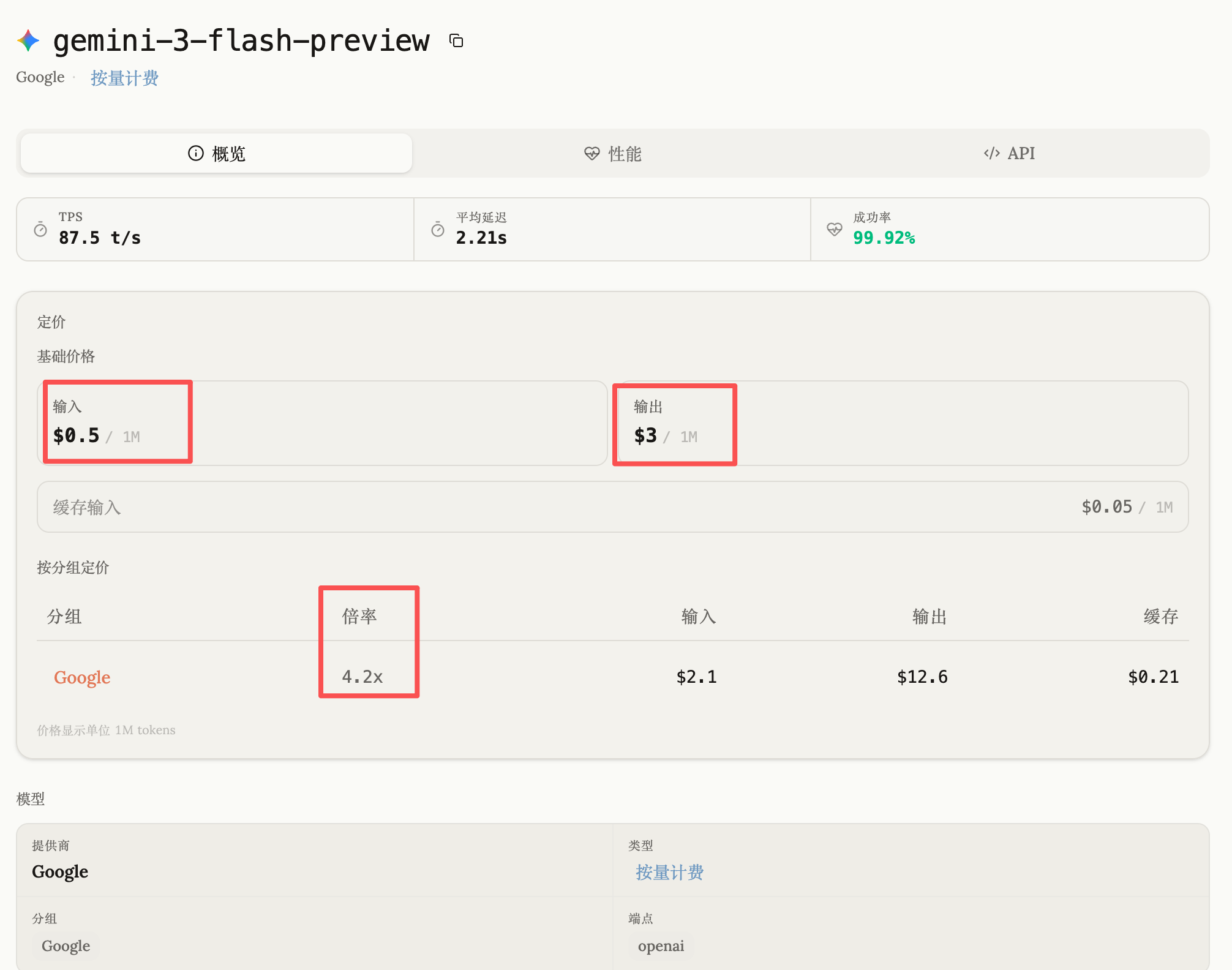
| Input / Output | Base price per million tokens |
| Multiplier | The billing multiplier for your group; final price = base price × multiplier |
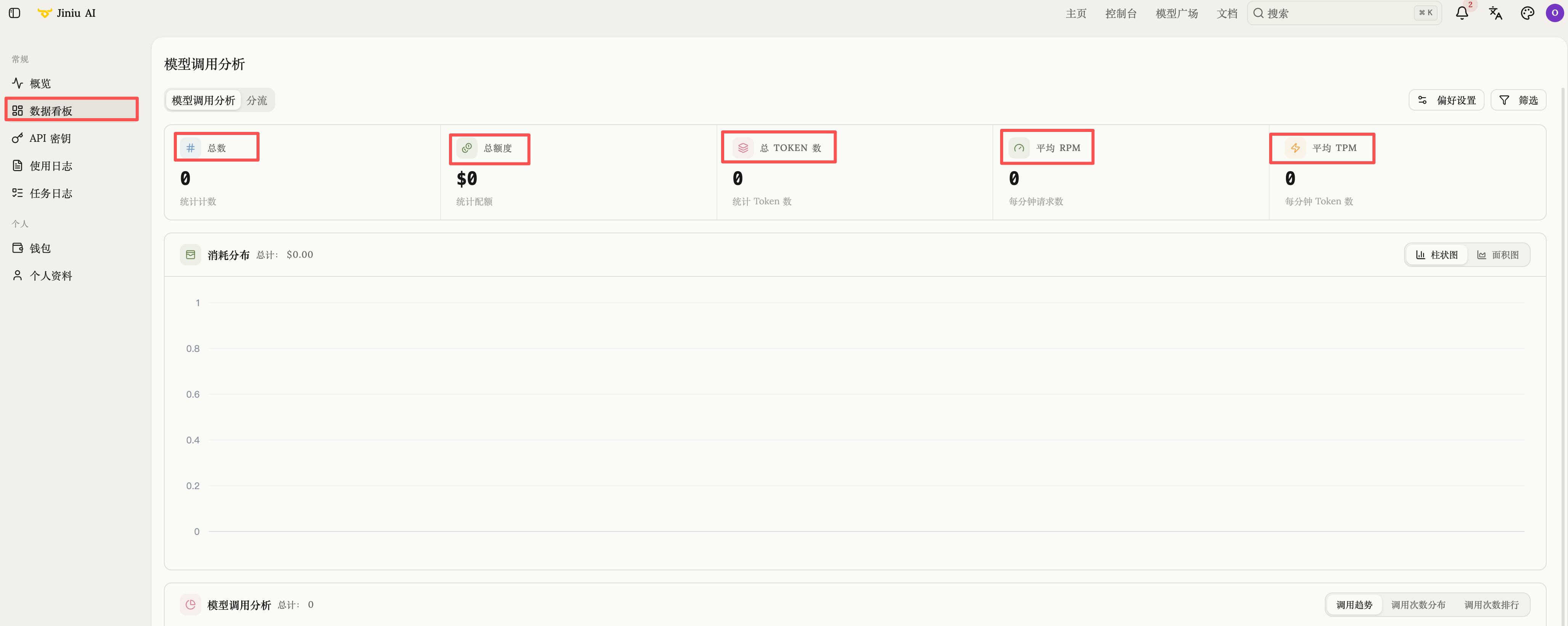
Dashboard
Account-level monitoring, filterable by model and by user: total calls, total quota, total tokens, average RPM / TPM, plus health metrics such as success rate, average latency and throughput.
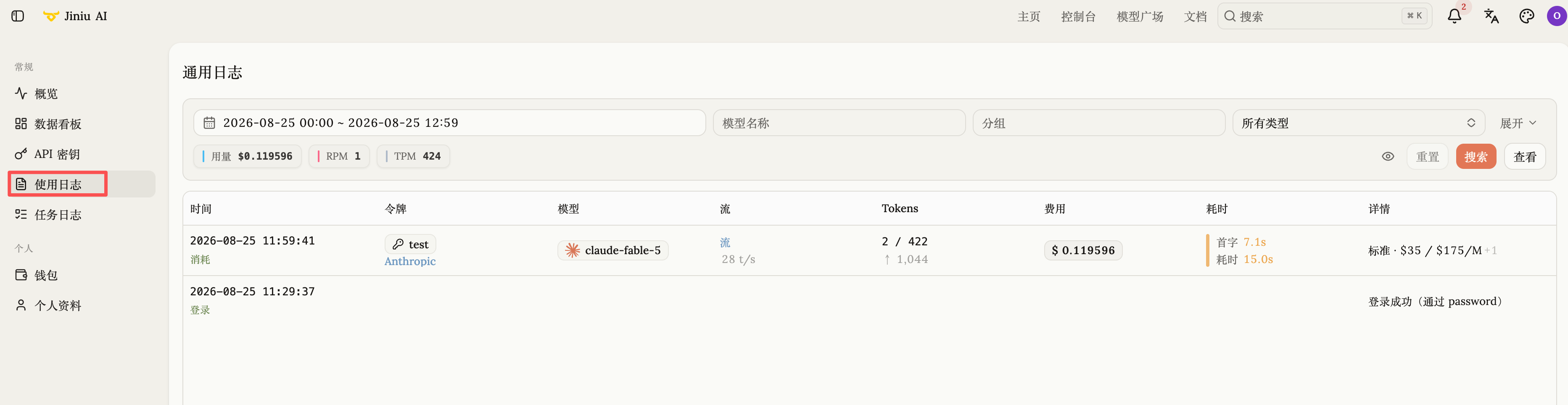
Usage logs
A per-call record of every model request, along with an audit trail of account actions such as logins and quota changes — this is where you go to investigate anomalies or reconcile a bill.
Once you have picked a model, the next step is to create a credential on the API Keys page.