
API Keys
Creating keys, choosing a group, quota and IP limits
Creating a key
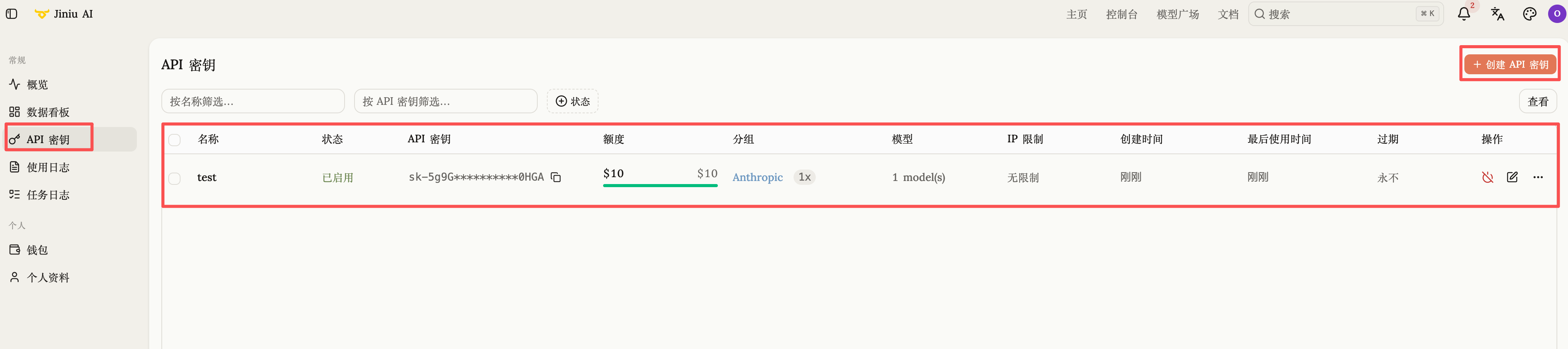
- Log in to the console and open API Keys from the left sidebar.
- Click Create API Key in the top right. Creating one key per project makes cost attribution and revocation much easier.
Choosing a group
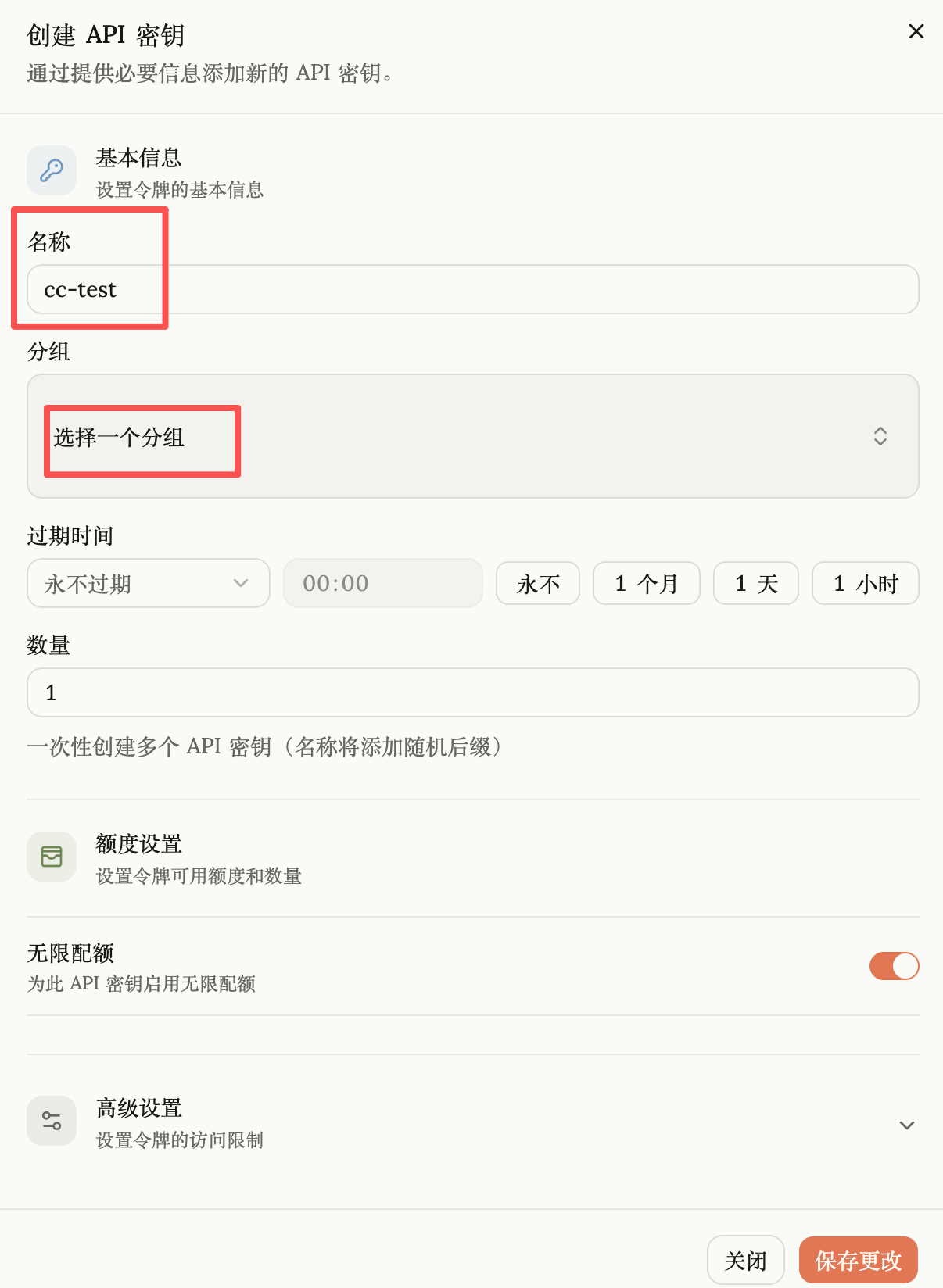
A key belongs to a group. Group names are usually built from a prefix (model family or upstream channel) plus a suffix (discount multiplier).
Common prefixes:
| Prefix | Models |
|---|---|
gpt | OpenAI |
claude | Anthropic Claude, including cloud-vendor channels |
gemini | Google Gemini |
deepseek | DeepSeek |
qwen | Alibaba Qwen |
doubao | ByteDance Doubao |
zhipu | Zhipu GLM |
kimi | Moonshot AI |
minimax | MiniMax |
Security and quota settings
Worth configuring before you go to production:
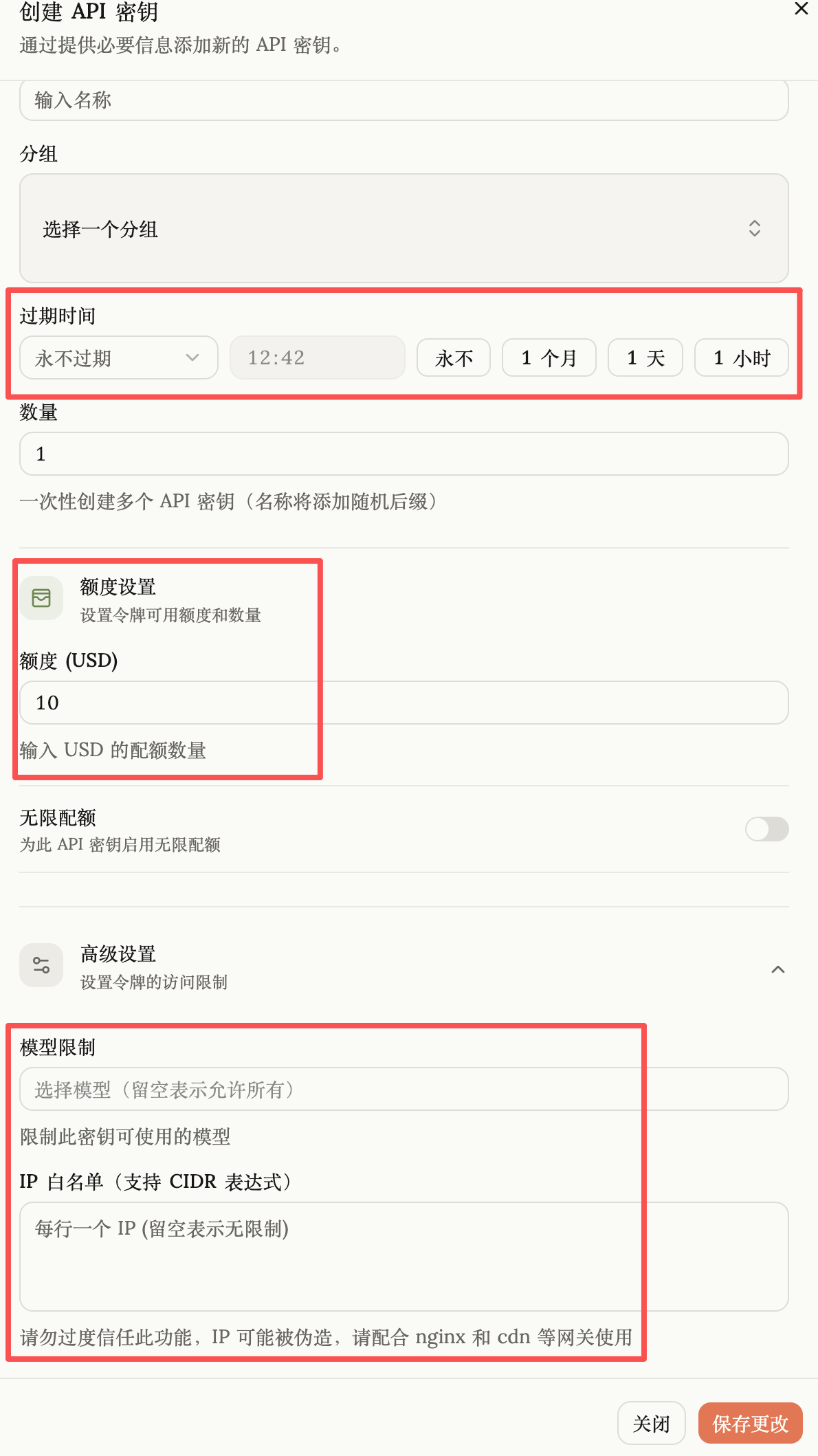
- Quota limit — unlimited by default (bounded only by your account balance). Setting a fixed quota on keys handed to teammates or tools caps the damage from a runaway loop; the key stops working once the quota is used up.
- Expiry — one hour, one day, one month or a custom timestamp. Handy for short-lived projects and contractors.
- IP allowlist — bind the key to specific server IPs so that even a leaked key cannot be used from anywhere else.
See Base URL and Authentication for how to send the key with a request.