
Getting Started
Four steps to your first API call
Four steps to configure the endpoint and start calling the models aggregated on the platform.
Step 1 — Sign up and log in
Register on the website with a username, password and phone number, then open the console overview.
Step 2 — Create an API key
- Go to API Keys in the left sidebar and click Create API Key in the top right.
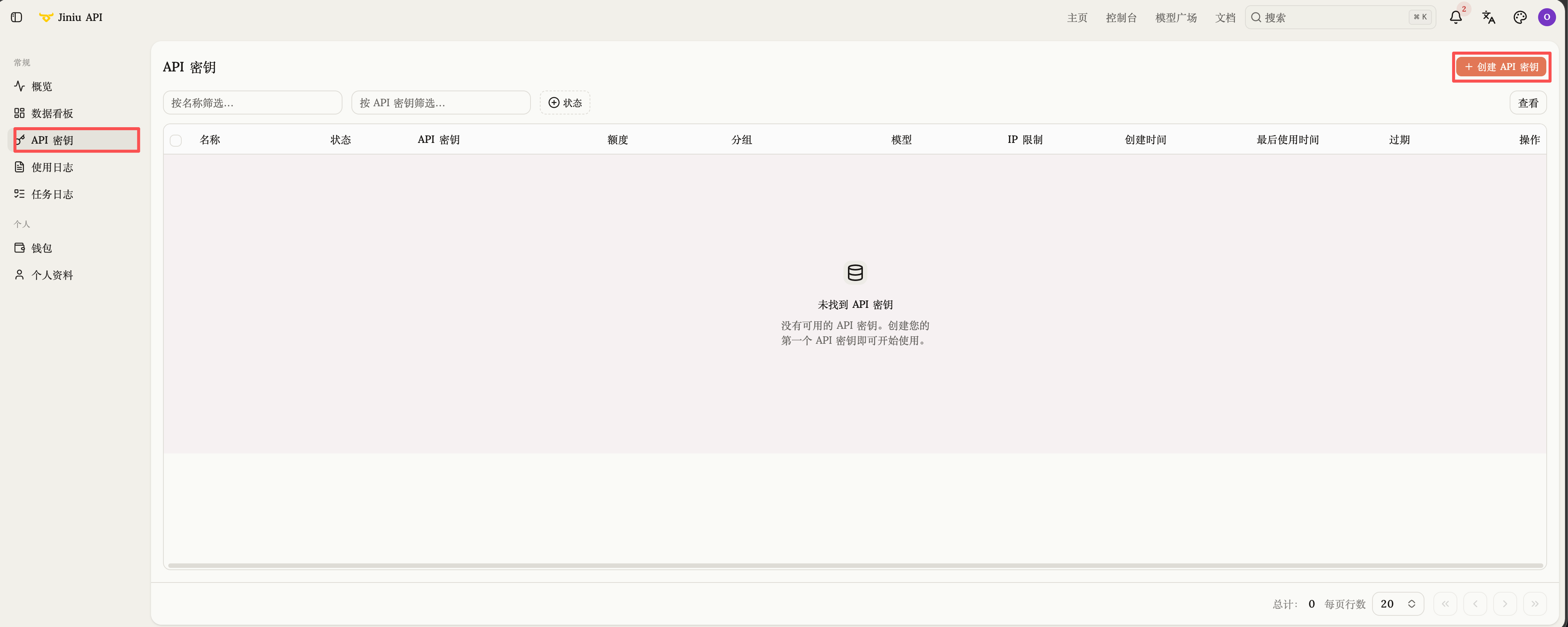
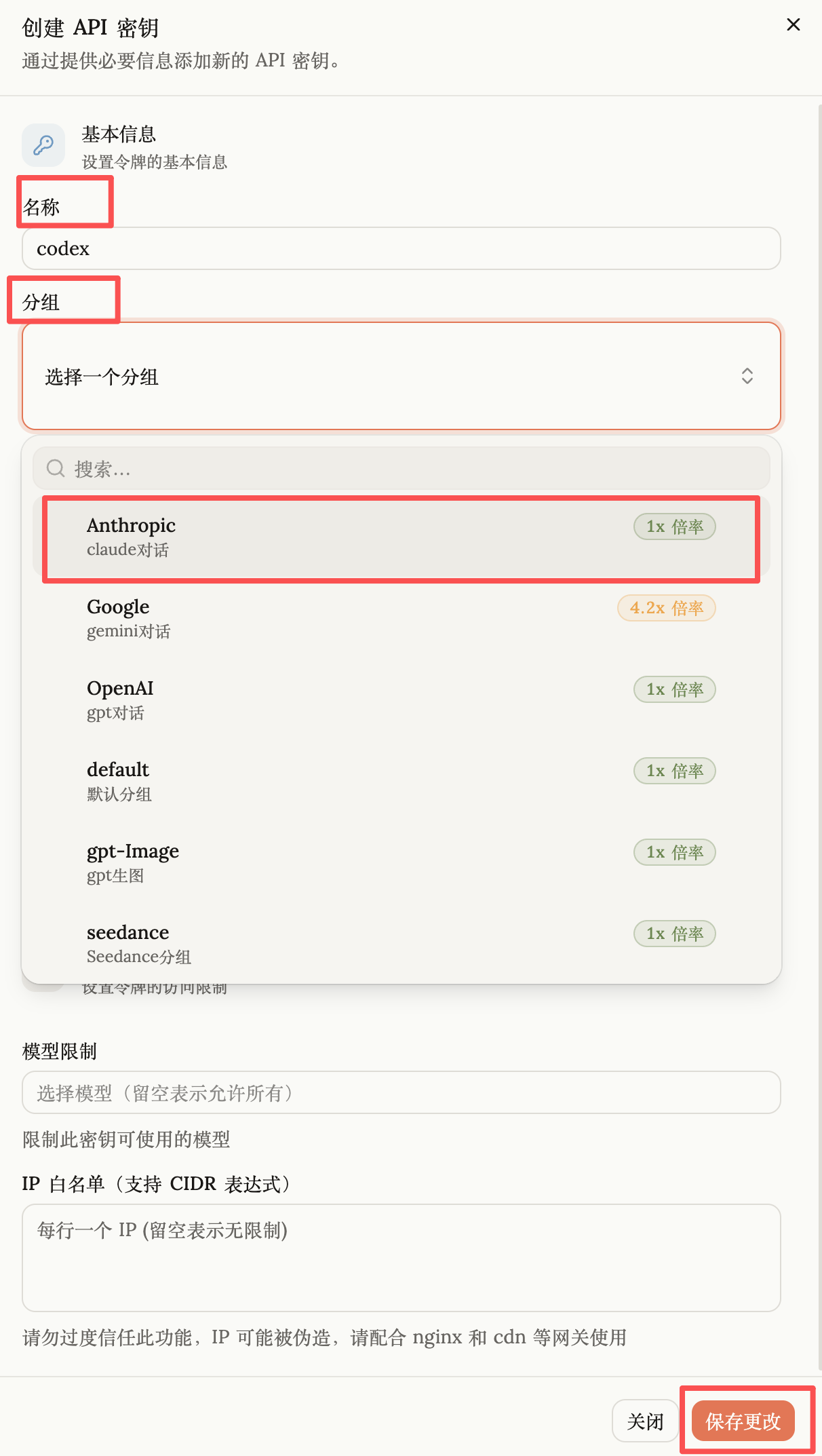
- Name the key and pick the model provider group that matches your use case.
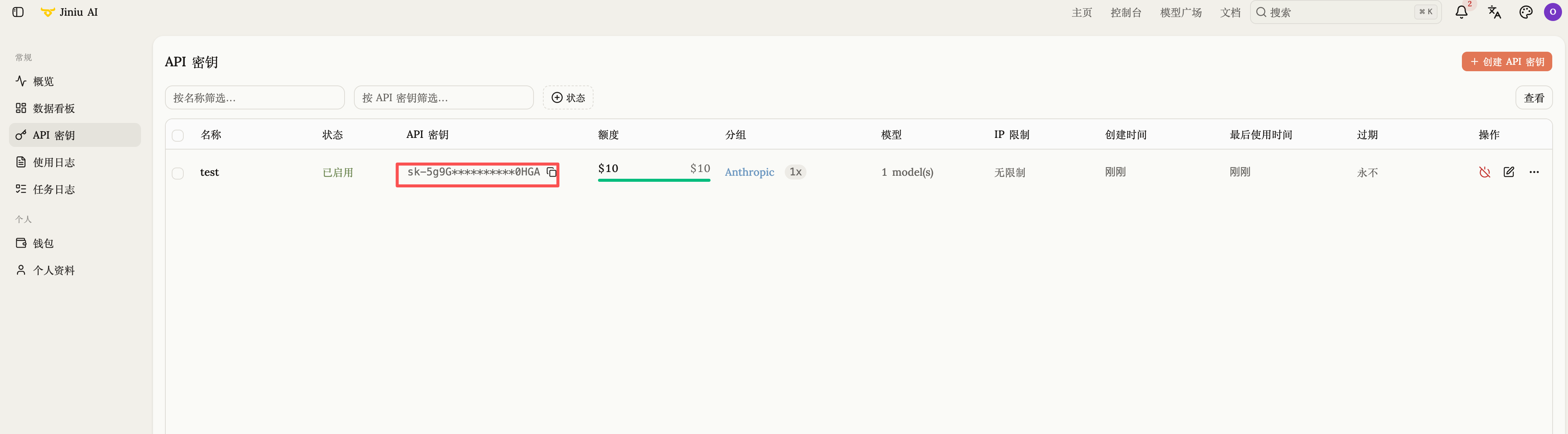
- Copy the key once it is created. The full key is shown only at creation time — store it somewhere safe.
Step 3 — Configure your client or code
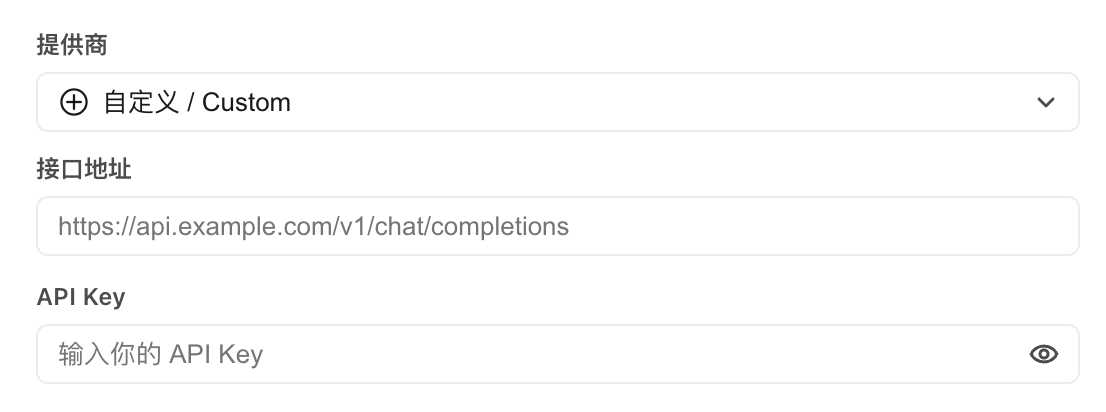
In the model / network settings of your agent platform, desktop client or code, fill in:
- Base URL:
https://jiniu.ai - API Key: the key you copied in step 2
Some third-party tools need the /v1 suffix — use https://jiniu.ai/v1 instead. See Base URL and Authentication for how to tell which one you need.
Step 4 — Pick a model and call it
Enter the model name in your client's model settings and you are ready to go. Copy the name from the model catalog rather than typing it by hand — a typo is the most common cause of a failed first call.